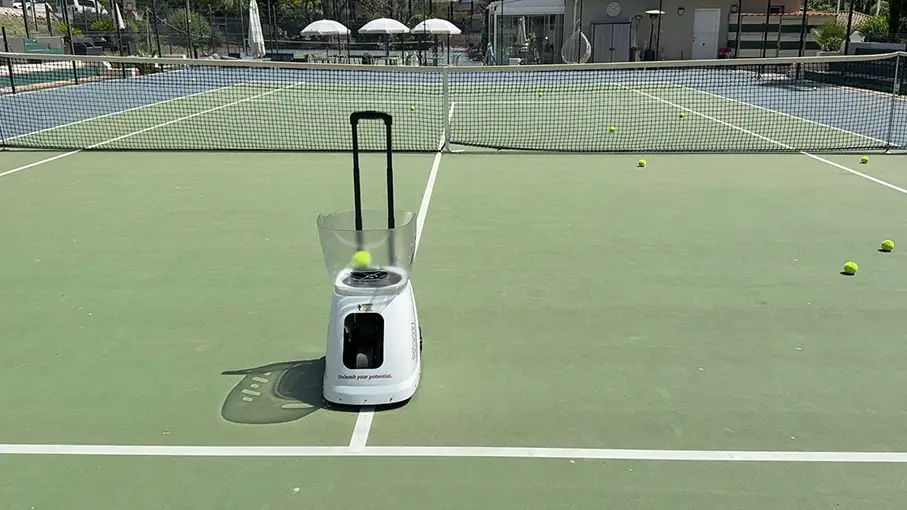
Ball machines have always sat in an awkward spot in the tennis equipment world. Either they’re too basic to be interesting, or they’re priced at a level that makes you think twice. The Veva P3 Pro is trying to sit somewhere different – a smart, app-controlled machine with a feature list that punches well above its price point. I’ve been spending time with it, and here’s what I think.
You can check out the Veva Sports P3 and P3 Pro here. We are working on setting up some kind of discount code.
Specs
- Price: $1099 USD for the regular P3, $1299 for the Pro
- Ball capacity: 140 balls
- Max ball speed: 81 mph (this is under optimal conditions, it does have a really fast ball for rallying compared to other machines)
- Max launch angle: 60°
- Battery life: Up to 6 hours
- Control: App (iOS/Android) + included mini remote
- Programmable landing spots: 28
- Shot combinations: 10,000+ (per Veva)
- Firmware: OTA (over-the-air updates)
- Colours available: Violet, Orange
First Impressions: Plug and Play
The first thing worth saying is how easy this machine is to get going. You charge the removable battery, drop it in, download the Veva Tennis app, connect, and you’re hitting. No complicated setup, no manual-reading required. For a machine with this many features, the out-of-the-box experience is genuinely smooth.
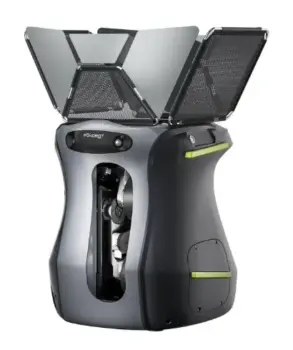
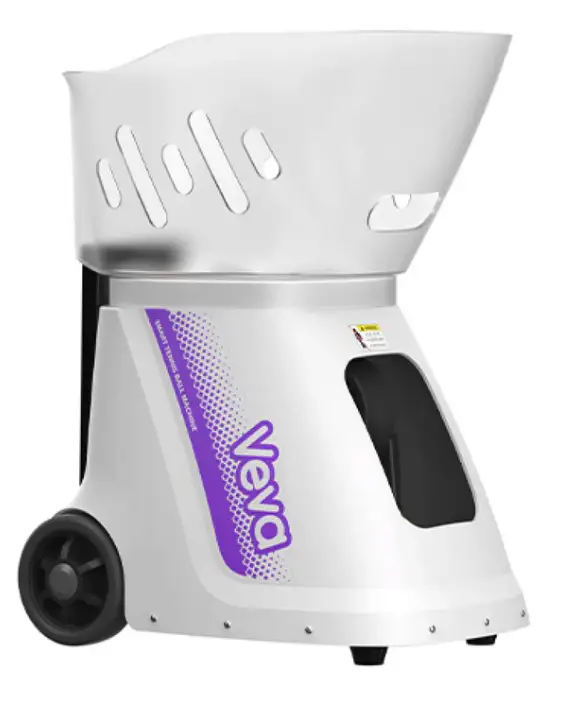
The machine is not the most attractive from a visual point of view, but the build feels solid. Veva talks about industrial-grade motors and carbon brushes, and while I can’t verify the internals, the feed is consistent, and there’s no obvious rattling or hesitation on ball delivery. Of the machines I have tried, this and the Pongbot seem to deliver the best speeds for challenging rallies.
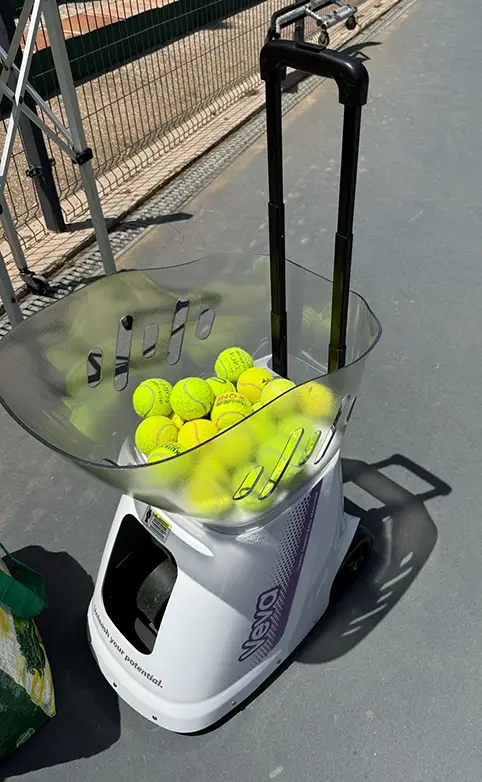
The snap-off ball hopper is a nice touch for storage and transport. The machine rolls on wheels which works fine on court, but I’ll flag one thing: there are no handles on the sides. If you need to carry it, up steps, into a car, off a court without smooth tarmac, you’re improvising. Side handles would have been an easy win here and I’m not sure why they were left out. Sure, you can lift it with the main handle locked, but it is not ideal.
Battery Life
Six hours of continuous play on a single charge is very solid and even when the battery was on the low side, there was no noticeable drop in feed speed or pace as the charge depleted, which can be an issue with cheaper machines. The machine does tell you that the AI features (not sure AI is the correct name here) need more battery than the regular drills and feeds.
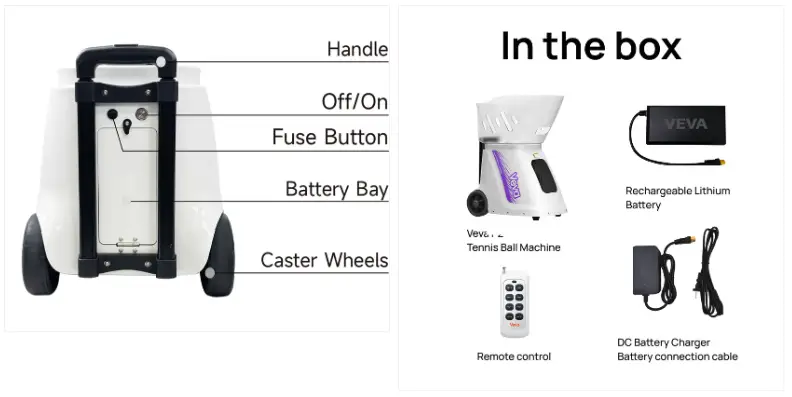
The removable battery design is has become a standard, but it is still appreciated. You can charge it separately, carry a spare if you’re doing extended coaching sessions, and swap it quickly.
The App and Remote
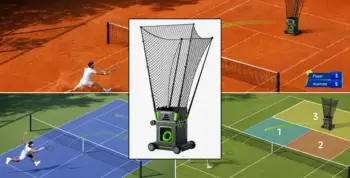
The Veva Tennis app is well designed for what it does. Setting up drills, adjusting feed rate, changing spin type, programming landing spots – all of it is accessible without digging through menus. The 28-point court mapping for landing spots is a legitimately useful feature, especially if you’re running footwork drills or building specific patterns.
The mini remote that comes included is a bonus I didn’t expect to appreciate as much as I did. Being able to start and stop the machine from the baseline without having your phone in your pocket is valuable. You can also adjust speed and height from the remote, which adds to its usefulness. I think all machines should come with a basic remote.
That said, the remote has no screen. So while you can make adjustments, you can’t see what you’re actually changing without looking at your phone. It works well, and I really appreciate the remote, but a small display would have elevated it from good to excellent.
Performance
The machine claims a top speed of 81 mph. Ball machine companies tend to exaggerate these claims, at least in the sense that this speed is reached under optimal conditions, like indoors with brand-new balls on optimal settings. However, this machine delivered the most challenging ball alongside the Pongbot Pace S Pro that I have tried. I always get the best and most challenging drills when I set them up myself. But it is easy to set up drills and tweak parameters using the app.
All spin types work. Topspin, backspin, side spin – the machine handles them without drama. This is probably the most important functional test for a training machine, and the P2 passes it. Topspin feeds in particular felt natural and repeatable.
The 60° launch angle is a bold spec on paper. In reality, the useful range for most players is considerably lower than that. But having the ceiling available means you can work on high balls, overheads, and deep lobs – which a lot of cheaper machines simply can’t generate. The lob training was very solid on this one.
The OTA firmware update feature is an interesting addition that sets this machine apart. The idea that Veva can push software improvements wirelessly, improving spin algorithms, adding drill modes, fixing bugs, means the machine could genuinely improve over time. Whether they’ll deliver on that is something we’ll see, but the infrastructure for it is there. I have seen this feature with other brands and it does make everything easier.
Too much of the good stuff?
Here’s my honest take: the Veva P3 marketing leads with the ambitious numbers. 81 mph. 10,000+ shot combinations. 28 programmable spots, AI training programs, etc.
But the actual appeal of this machine isn’t really any of that. It’s simpler things. It’s the fact that it charges up, rolls onto court, connects to your phone, and starts feeding balls in under five minutes. It’s the six-hour battery. It’s the consistent feed with all spin types. It’s the fact that at $1,199, you’re getting capability that costs more elsewhere.
The spec sheet ambition isn’t a dealbreaker – it’s just a bit of marketing noise you filter out. Focus on the core experience, and it’s a better machine than the numbers suggest.
Pros & Cons
What Works
Genuinely easy setup – plug and play from the first session
6-hour battery life is very good
Removable battery with quick-swap design
All spin types feed consistently
App is clean and functional
Mini remote included – useful for start/stop and basic adjustments
140-ball capacity makes sure you do not need to pick up balls that frequently
OTA firmware updates – machine can improve post-purchase
Strong value at $1,199 vs. comparable machines
What Could Be Better
No side handles – carrying it without wheels is awkward
Mini remote has no screen, limiting its usefulness for mid-session adjustments
81 mph top speed claim not yet verified – treat with caution if speed is very important (in my experience the speed was excellent)
Marketing spec list slightly oversells the AI experience
Who Is This For?
Solo players who want structured training without needing a partner or a coach present for every session. Club players looking to build consistency on specific shots. Coaches who want a reliable, portable machine for group sessions or academies.
Verdict
The Veva P3 is a smart, well-priced training machine that does the important things right. Easy to use, long battery, consistent spin, solid app. The ambitious spec claims are industry standard marketing and should be taken with some salt – I’ll be measuring the actual ball speed and reporting back.
But as a plug-and-play training partner that you can actually afford without remortgaging your racket budget, it makes a strong case for itself. The basic features are what make it attractive, and those basics are genuinely good.
I have tried this machine alongside others wit ha bunch of different players and this is the one that has performed the best overall alongside the Pongbot Pace S Pro. The Pongbot has more drills in the app, but is also more expensive. The Veva Sports P3 is definitely a machine to be considered at this excellent price point (at the time of writing, 1199 USD).